> ## Documentation Index
> Fetch the complete documentation index at: https://docs.usesuperflow.com/llms.txt
> Use this file to discover all available pages before exploring further.
# Which parts of the site would I be able to custom brand
## Which Parts of the Site would I be able to Custom Brand?
You can customize the branding of the Superflow Toolbar and the Portal. Access the Superflow Dashboard by going to [app.usesuperflow.com](app.usesuperflow.com). Simply go to the Dashboard and update the **PREFERENCES**.
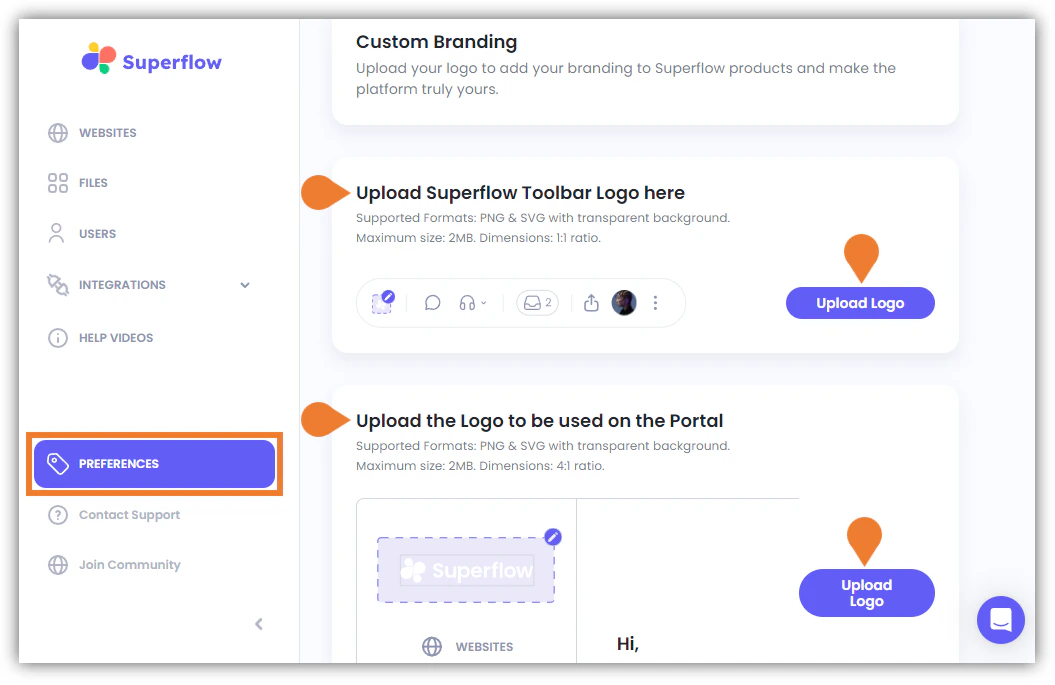 Find the Upload Superflow Toolbar Logo here and Upload the Logo to be used on the Portal sections and upload the logo for each section.