> ## Documentation Index
> Fetch the complete documentation index at: https://docs.usesuperflow.com/llms.txt
> Use this file to discover all available pages before exploring further.
# Navigating the support section
## Navigating the Support Section
In this article, you will learn how to navigate to the Support section, access useful help topics, and/or reach out to one of our support agents.
Access the Superflow Dashboard by going to [app.usesuperflow.com](app.usesuperflow.com). Alternatively, when you are in Review Mode, you can use the method below:
1. Find the **Superflow Toolbar** and click the **More Options** icon.
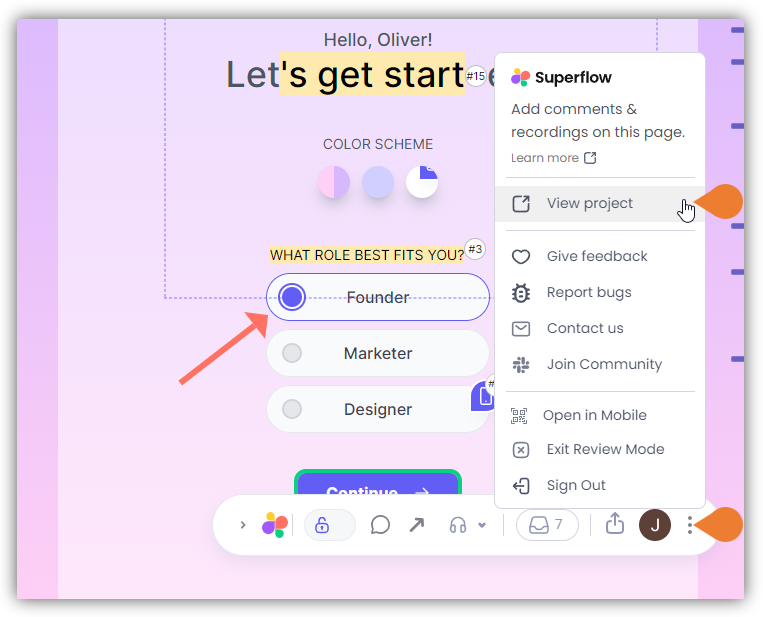 2. A sub-menu will expand, click the **View Project** option to select.
3. A new tab will direct you to the **Project Dashboard** page.
> **Note**: By default, you will be directed to the Dashboard for Comment Status screen when accessing the **Project Dashboard**.
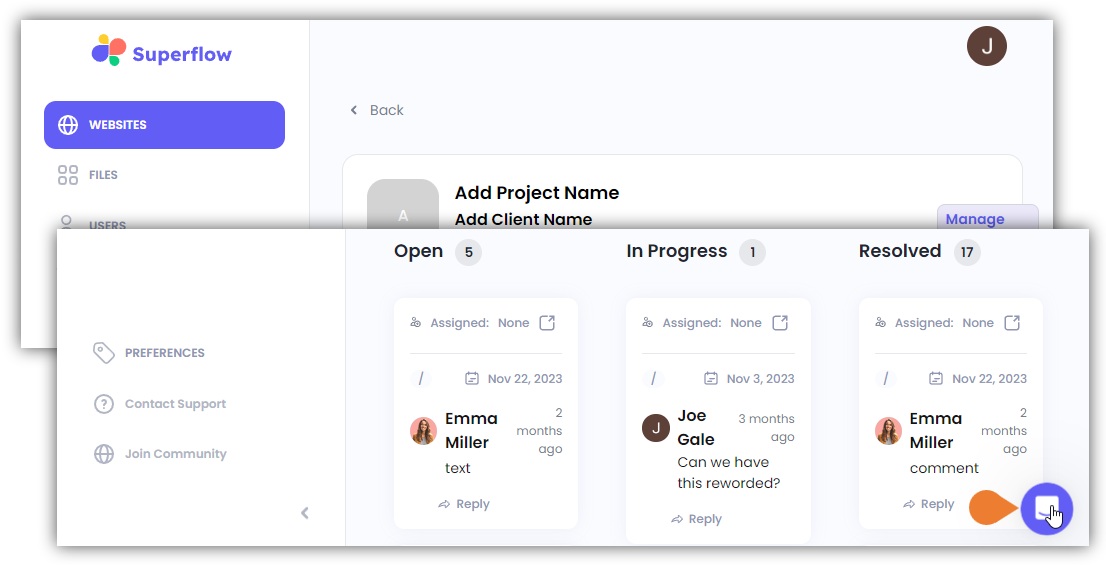
4. Find and click the **Contact Support** icon on the bottom right of the screen.
> **Note**: alternatively, you can click the **Contact Support** module.
2. A sub-menu will expand, click the **View Project** option to select.
3. A new tab will direct you to the **Project Dashboard** page.
> **Note**: By default, you will be directed to the Dashboard for Comment Status screen when accessing the **Project Dashboard**.
4. Find and click the **Contact Support** icon on the bottom right of the screen.
> **Note**: alternatively, you can click the **Contact Support** module.
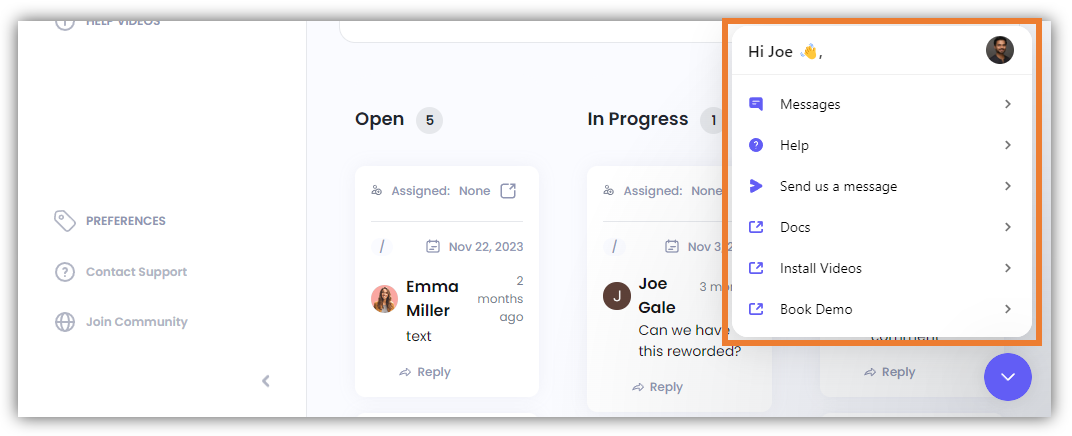
 5. The **Support** window will expand. In this window you can do the following:
* **Messages** - Send us a message using this option.
* **Help** - Access the Help option where you can search for help articles.
* **Send us a Message**
* **Docs** - Directs you to the How-To Guides and FAQs page.
* **Install Videos** - Directs you to the Superflow YouTube channel where you can find the Superflow Install Guides.
* **Book Demo** - This directs you to Superflow’s Calendly scheduler app where you can book for a demo.
5. The **Support** window will expand. In this window you can do the following:
* **Messages** - Send us a message using this option.
* **Help** - Access the Help option where you can search for help articles.
* **Send us a Message**
* **Docs** - Directs you to the How-To Guides and FAQs page.
* **Install Videos** - Directs you to the Superflow YouTube channel where you can find the Superflow Install Guides.
* **Book Demo** - This directs you to Superflow’s Calendly scheduler app where you can book for a demo.