> ## Documentation Index
> Fetch the complete documentation index at: https://docs.usesuperflow.com/llms.txt
> Use this file to discover all available pages before exploring further.
# How to view all comments on a project
## How to View All Comments on a Project
In this article, you will learn how to view all comments on a project.
Access the Superflow Dashboard by going to [app.usesuperflow.com](app.usesuperflow.com). Alternatively, when you are in Review Mode, you can use the method below:
1. Find the **Superflow Toolbar** and click the **More Options** icon.
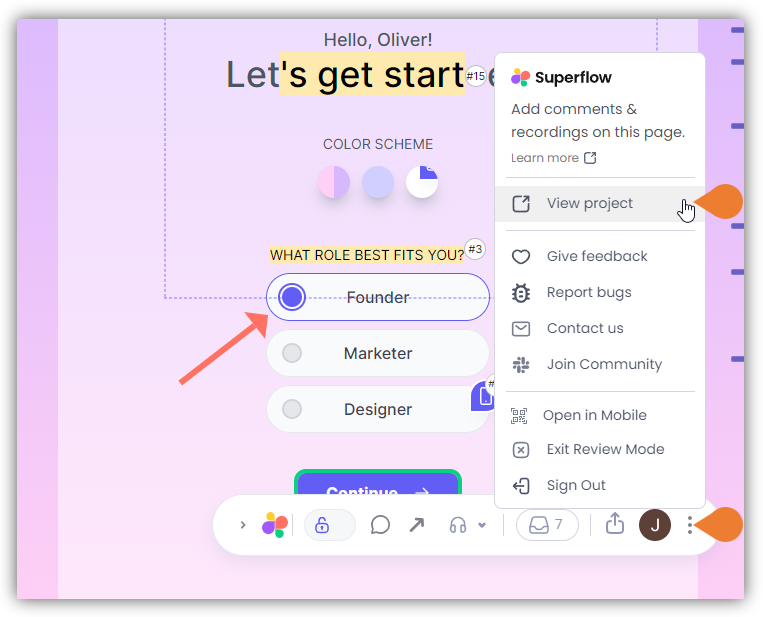 2. A sub-menu will expand, click the **View Project** option to select.
3. A new tab will direct you to the **Project Dashboard** page.
> **Note**: By default, you will be directed to the Dashboard for Comment Status screen when accessing the **Project Dashboard**.
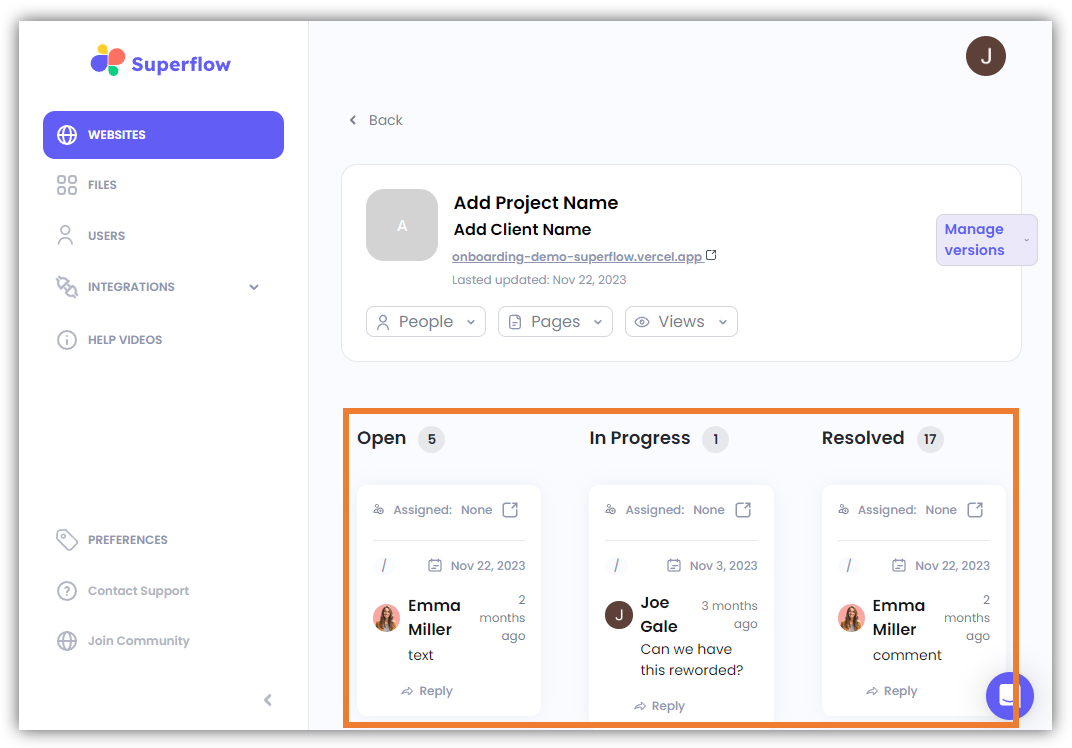
4. On this screen, you see all the comments on this project which are categorized by the following statuses:
* Open
* In Progress
* Resolved
2. A sub-menu will expand, click the **View Project** option to select.
3. A new tab will direct you to the **Project Dashboard** page.
> **Note**: By default, you will be directed to the Dashboard for Comment Status screen when accessing the **Project Dashboard**.
4. On this screen, you see all the comments on this project which are categorized by the following statuses:
* Open
* In Progress
* Resolved