> ## Documentation Index
> Fetch the complete documentation index at: https://docs.usesuperflow.com/llms.txt
> Use this file to discover all available pages before exploring further.
# How to remove admin users
## How to Remove Admin Users
In this article, you will learn how to remove admin users from your Superflow Account and the relevant projects.
Access the Superflow Dashboard by going to [app.usesuperflow.com](app.usesuperflow.com). Alternatively, when you are in Review Mode, you can use the method below:
1. Find the **Superflow Toolbar** and click the **More Options** icon.
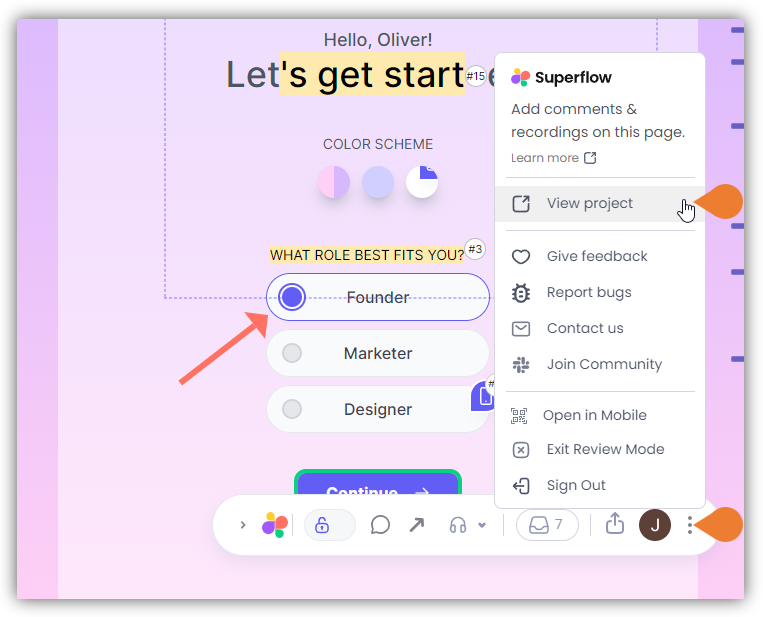 2. A sub-menu will expand, click the **View Project** option to select.
3. A new tab will direct you to the **Project Dashboard** page.
> **Note**: By default, when accessing the **Project Dashboard**, you will be directed to the Dashboard for Comment Status screen.
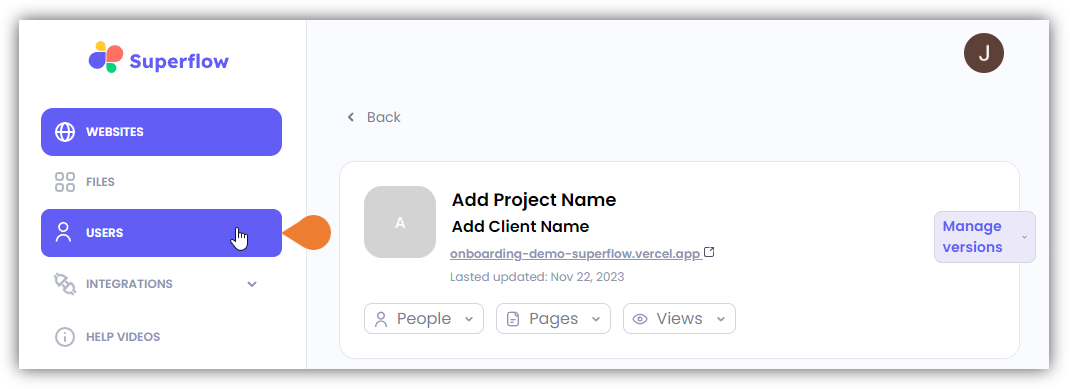
4. Click the **USERS** module to access the **Users** page.
2. A sub-menu will expand, click the **View Project** option to select.
3. A new tab will direct you to the **Project Dashboard** page.
> **Note**: By default, when accessing the **Project Dashboard**, you will be directed to the Dashboard for Comment Status screen.
4. Click the **USERS** module to access the **Users** page.
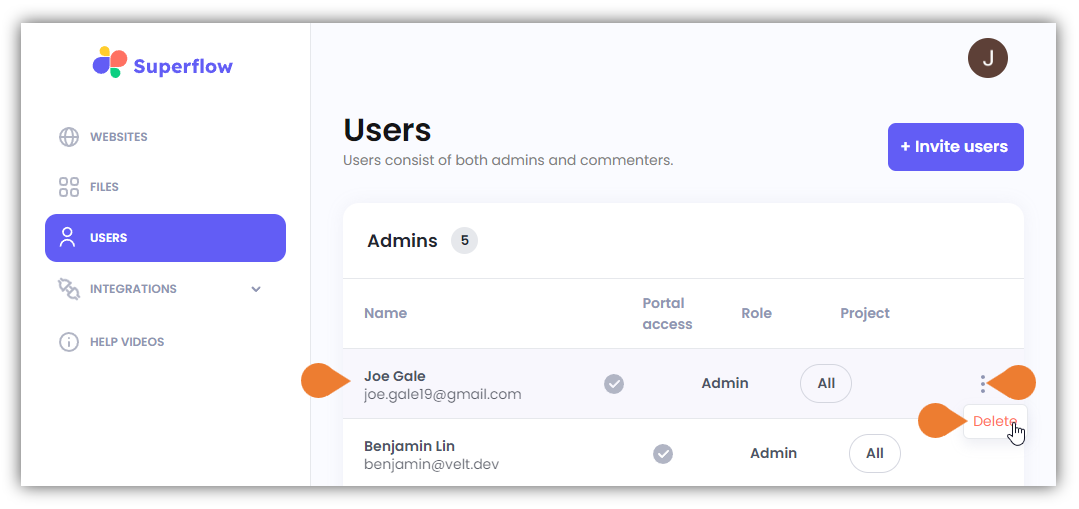
 5. Go to the **Admins** section and find the admin user that you want to remove.
6. Click the **More Options** icon and select **Delete**.
> **IMPORTANT NOTE**: ensure to select the correct user as there is no confirmation dialog box to confirm the action. Once you click **Delete**, the admin user will be deleted immediately.
5. Go to the **Admins** section and find the admin user that you want to remove.
6. Click the **More Options** icon and select **Delete**.
> **IMPORTANT NOTE**: ensure to select the correct user as there is no confirmation dialog box to confirm the action. Once you click **Delete**, the admin user will be deleted immediately.